



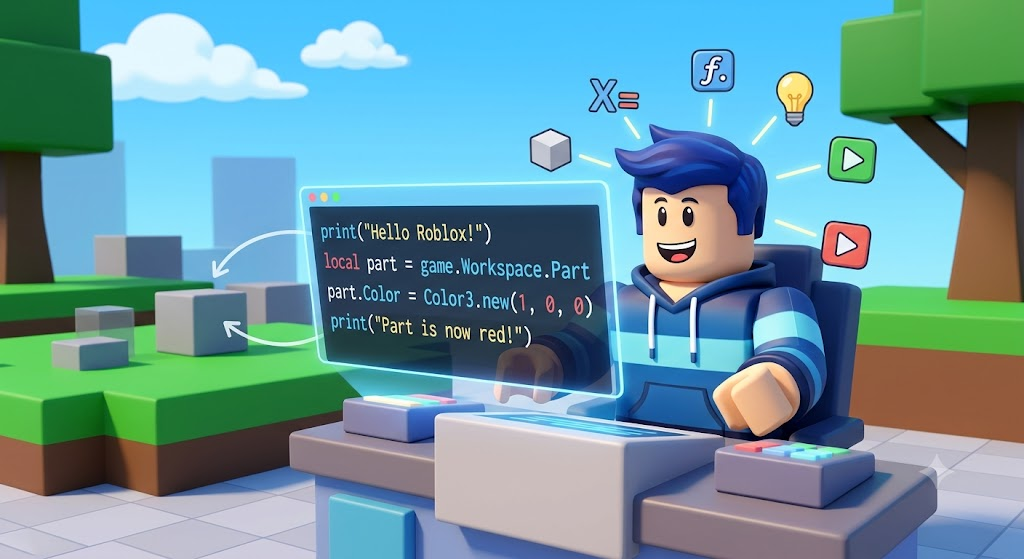
Have you ever played a super fun game on Roblox and wondered how it was made? The secret behind every game is code! By using Scripts for Roblox, you can bring your biggest gaming ideas to life. It is much easier than you might think to get started.
When I first opened Roblox Studio, I felt a bit lost. There were so many buttons! But once I learned how to add my first line of code, everything clicked. Think of a script as a set of instructions. You are telling the game exactly what to do, like making a door open or giving a player a magic sword.
In this guide, we will look at how to use these text files to build cool things. We will keep the steps very simple. You do not need to be a math genius or a computer expert. Let us jump in and start your game dev journey today!
What Are Roblox Scripts?
At their core, scripts for roblox are just simple text files filled with code. They tell the game engine how to behave. Without code, your world would be totally frozen and empty.
When you place a script into your game, the server reads it line by line. If you want a block to change color when a player touches it, you write a short code block to make that happen. These lines of logic add all the fun, dynamic action to your worlds.
The Luau Programming Language
Roblox uses a special language called Luau. It is based on a popular language called Lua. Do not let the fancy name scare you! Luau is designed to be very beginner-friendly.
It reads a lot like plain English. For example, instead of using weird symbols, it uses normal words to give commands. This makes it the perfect tool for kids and new creators to learn the basics of computer science without getting frustrated.
Where to Put Your Code
Knowing where to put your code is super important. You usually put your code inside a folder called ServerScriptService or StarterPlayer.
If you put a file in the wrong folder, your game might not work right. Always check your Explorer window on the right side of your screen to find the right spot for your logic files. Keeping your workspace neat helps you find bugs much faster.
Making a Part Move
One of the first fun things you can do is make a block move on its own. You can write a quick loop that changes the position of a part every few seconds.
You just need to select a part, add a child object of type text-file, and type in a simple command. Watching your block slide across the screen for the first time is an amazing feeling!
Changing Colors on Touch
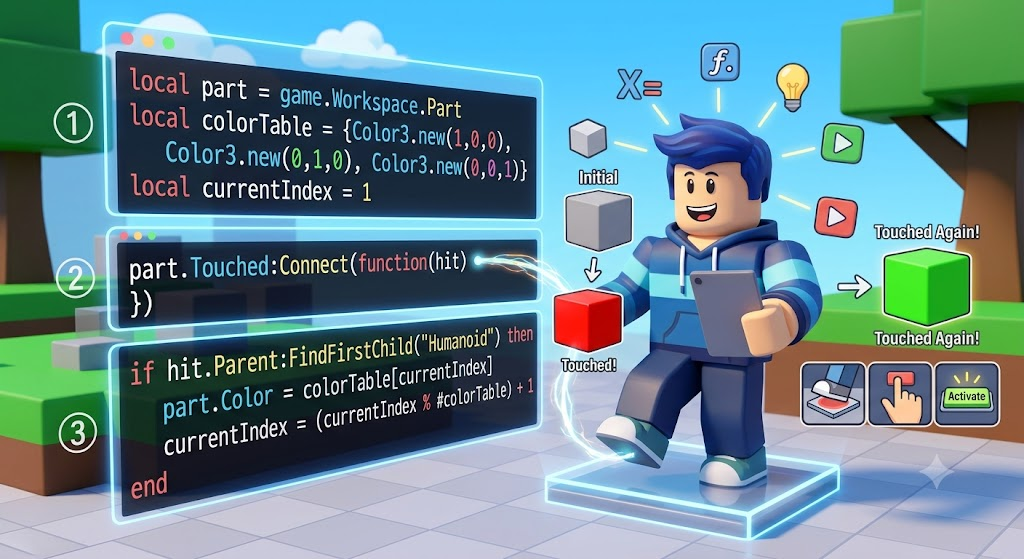
Another fun trick is making a block change colors when an avatar steps on it. You can do this by detecting a touched event.
When the avatar hits the block, your code triggers and swaps the brick color to bright red or blue. It is a great way to make traps or secret puzzle floors for your friends to play.
Giving Players Tools
Every good adventure game needs cool gear. You can write commands that drop tools into a user’s backpack when they join the server.
Whether it is a magic wand, a shield, or a fast skateboard, a few quick lines of logic will load the item right into their hands. This makes your world feel alive and rewarding.
Creating a Health System
Keeping track of energy is key for survival games. You can build a custom health bar that goes up or down based on what happens in the level.
If your character falls into lava, the counter drops. Eating a magic apple can make the bar go back up. This adds real challenge and excitement to your levels.
Spawning Enemies Safely
What is an adventure without bad guys? You can code non-player characters to walk around and chase avatars.
Just be sure to set their speed low at first so they are not too scary! Coding smart characters is a fun challenge that will level up your developer skills fast.
Testing and Fixing Bugs
Every coder makes mistakes, and that is totally okay! Testing your game often is the best way to catch errors early.
Use the Output window at the bottom of your screen to see red text when something breaks. Read the message, fix the typo, and press play again. It is like solving a fun puzzle.
Publishing Your Creation
Once your world is perfect, it is time to share it with the world. Hit the publish button so your friends can play it on their phones, tablets, or PCs.
Seeing other people enjoy the world you built is the best reward for all your hard work. Keep updating your world with new ideas to keep players coming back!

Detailed Development Reference Table
To help you plan your projects, here is a quick breakdown of where to put different types of files and what they do.
| File Type | Best Location | Main Purpose |
| Server Script | ServerScriptService | Handles overall game rules and saving data. |
| Local Script | StarterPlayerScripts | Manages what happens on a single player’s screen. |
| Module Script | ReplicatedStorage | Stores reusable code so you do not repeat yourself. |
Frequently Asked Questions
Are these files safe to use?
Yes, as long as you write the code yourself inside Roblox Studio or get them from the official Creator Store, they are 100% safe to use in your projects.
Do I need to pay to write code?
No! The development tool is totally free to download and use. You can start building and testing your worlds without spending any money.
What language does Roblox use?
It uses Luau, which is a fast and simple language based on Lua. It is very easy for beginners to learn and understand.
Can I make money from my games?
Yes, popular creators can earn Robux through premium payouts and in-game purchases once their creations become popular and attract users.
Where can I learn more advanced coding?
The official Creator Hub website has tons of free text tutorials, video guides, and examples to help you go from beginner to pro developer.
Why is my code not working?
Check the Output window at the bottom of your screen. You might have a tiny spelling mistake or a missing comma. Fixing typos is a normal part of coding!
Conclusion
Now you have all the basic knowledge you need to start building amazing worlds! Grab your computer, open up the studio, and start experimenting with scripts for roblox.
Don’t be afraid to make mistakes along the way. Every great developer started exactly where you are right now. Have fun, be creative, and happy coding!

1 Comment
Pingback: Escasinoes.com: A Guide to Online Casino Games, Reviews and Bonuses - newztop.co.uk